
Accessing Your Profile
39 Views
Your Profile page contains your personal account information and allows you to review your account details.
How to Access Your Profile
- Sign in to your Belyfted account.
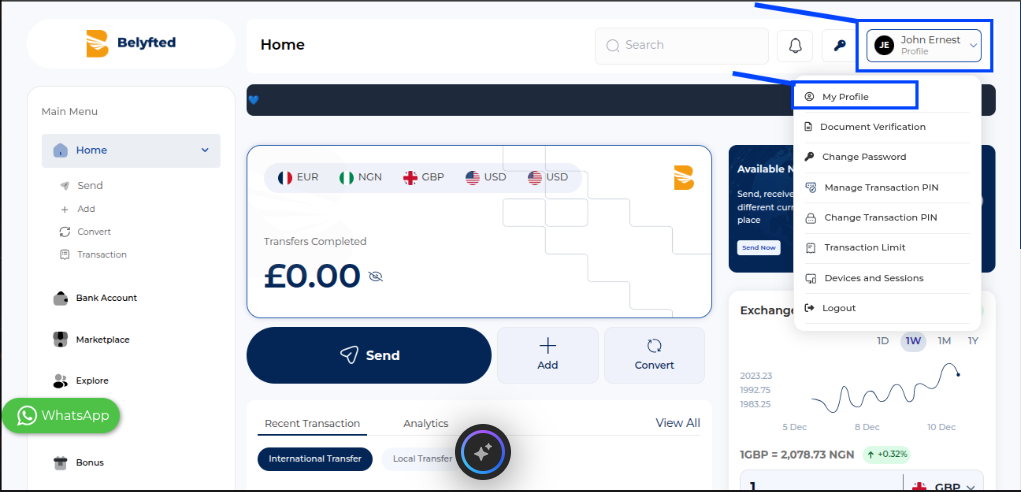
- Click your profile icon in the top-right corner of the dashboard.
- From the dropdown menu, select Profile.
You can also access it from the left-hand navigation menu by selecting Profile.
What's on the Profile Page?
The Profile page displays your personal information, including:
- First Name
- Last Name
- Date of Birth
- Email Address
- Occupation
- Country
- City
- Other personal information associated with your account
Why Is This Information Important?
Your profile information is used to:
- Verify your identity
- Secure your account
- Process transactions correctly
- Comply with regulatory requirements
Tips
- Ensure your information is accurate and up to date.
- If certain fields cannot be edited, you may need to contact support or update your verification documents.