
How to Check if a Country Is Supported
34 Views
How to Check if a Country Is Supported
You can verify whether Belyfted supports a specific country by following these steps:
Via the Website
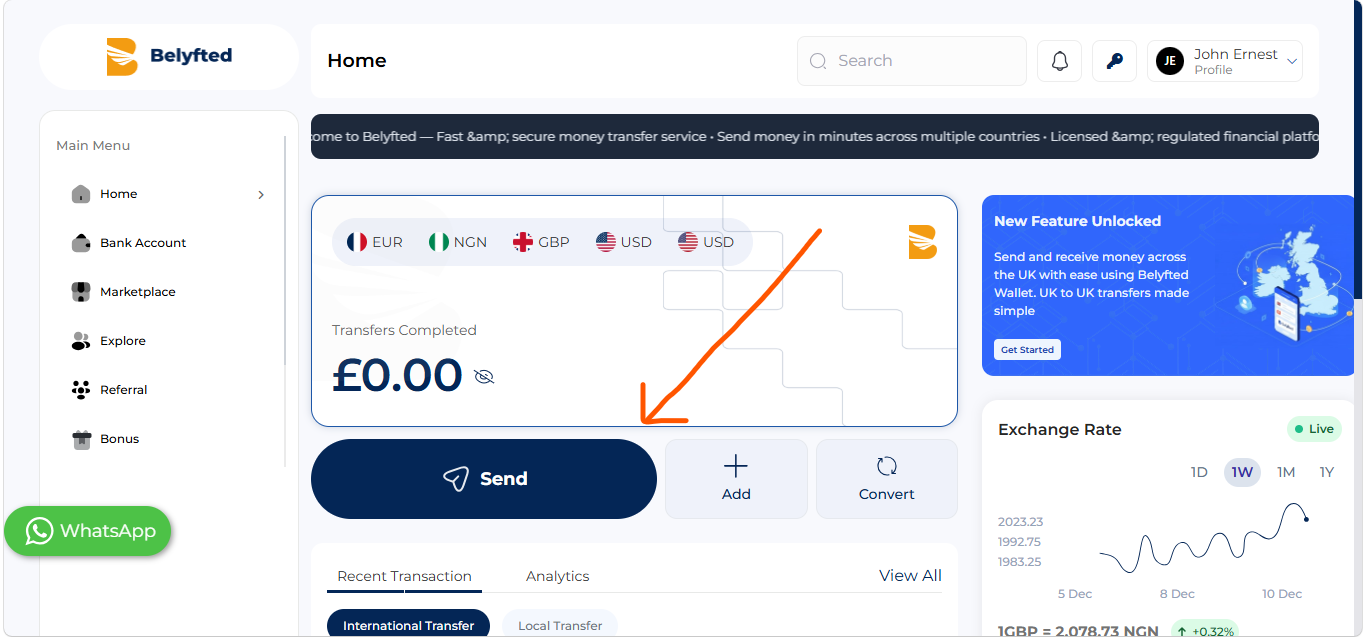
- Log in to your Belyfted account
Click on the Send Button.
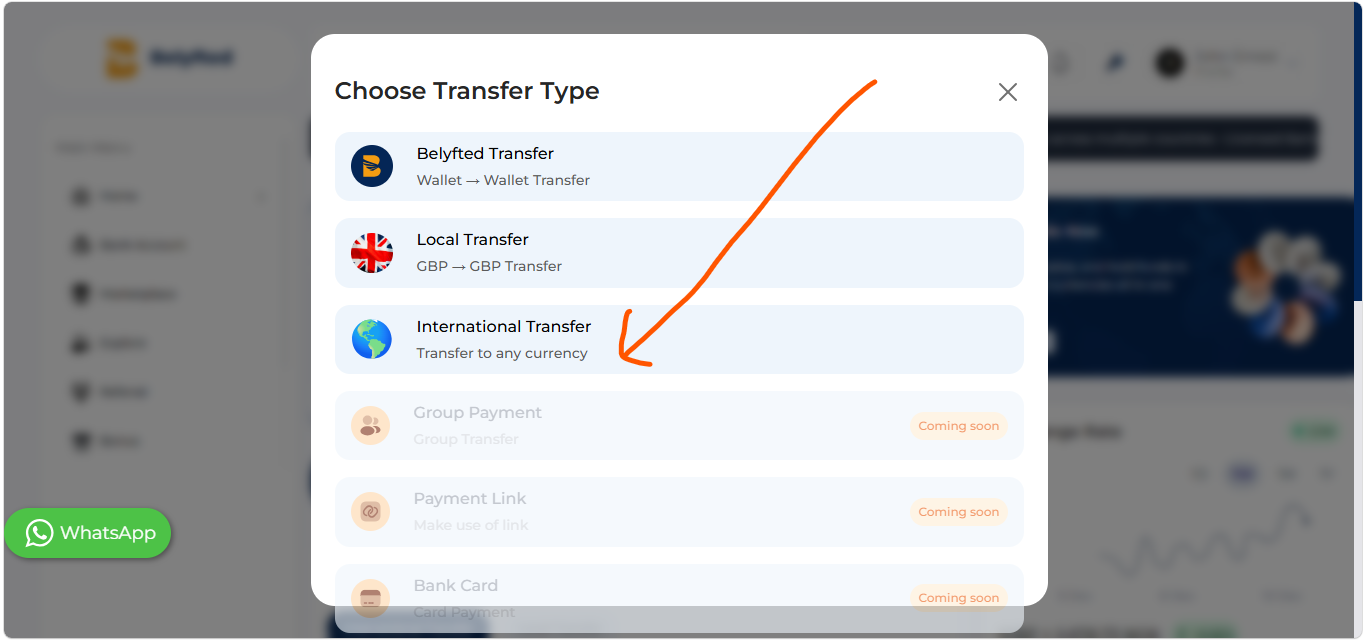
Select International Transfer
Search for destination country
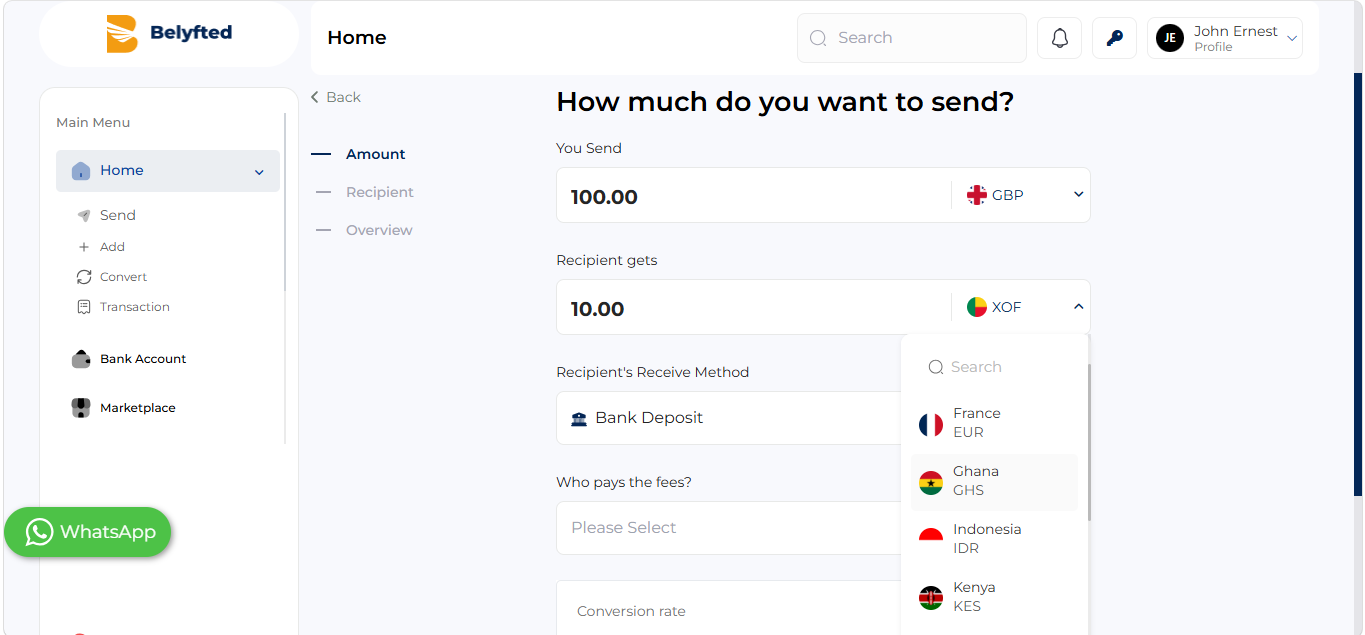
- The system will display available countries.
Via the App
- Log in to your Belyfted account.
- Click on the Send Button.
- Select International Transfer
- Choose a origin country.
- Choose a destination country.
- The system will display available countries.
Contact Support
If you cannot find a country, contact Belyfted Support for assistance.