
Manage Transaction PIN
36 Views
What Is a Transaction PIN?
A Transaction PIN is an additional security layer used to authorize sensitive account actions and transactions.
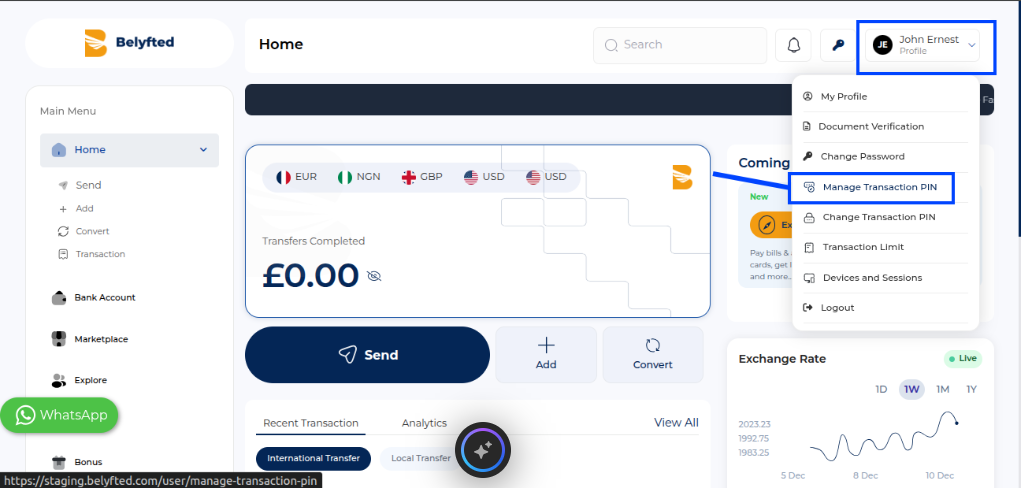
How to Access the Transaction PIN Page
- Sign in to your account.
- Click your profile icon in the top-right corner.
- Select Manage Transaction PIN.
Enable a Transaction PIN
- Open Manage Transaction PIN.
- Enter your preferred four-digit PIN.
- Confirm the PIN.
- Submit your changes.
Your Transaction PIN is now enabled.
Disable a Transaction PIN
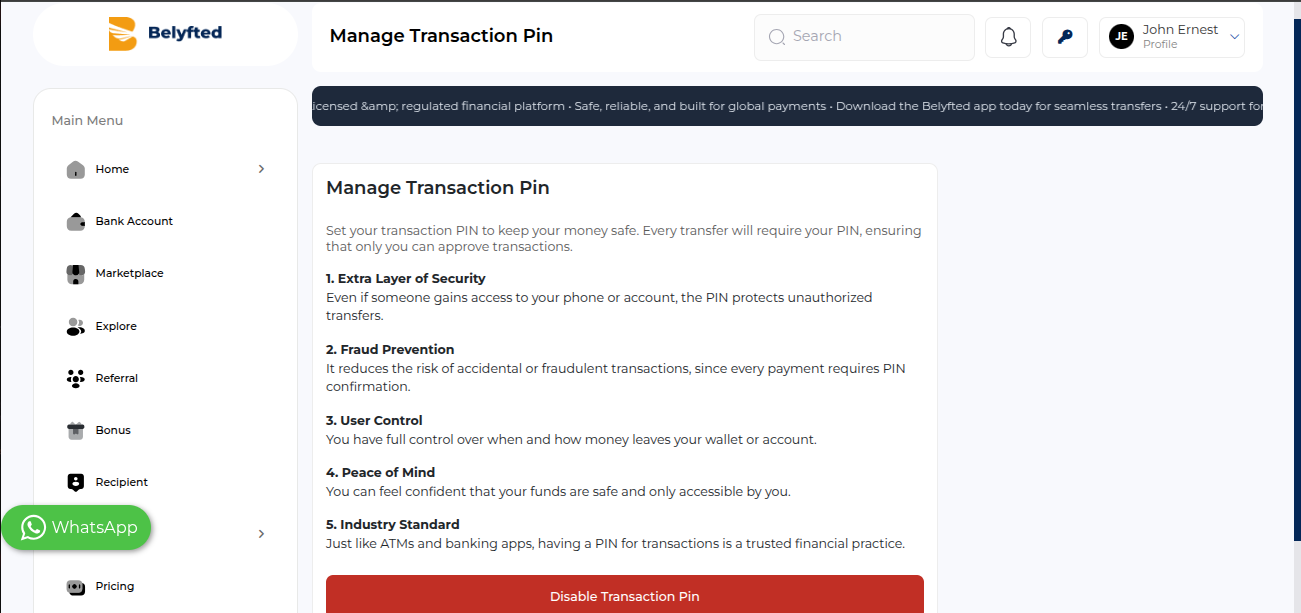
- Open Manage Transaction PIN.
- Follow the instructions to remove your existing PIN.
- Confirm the action.
You may be asked to complete additional verification for security purposes.