Understand your Billing Statement
19 Views
Understand your Billing Statement
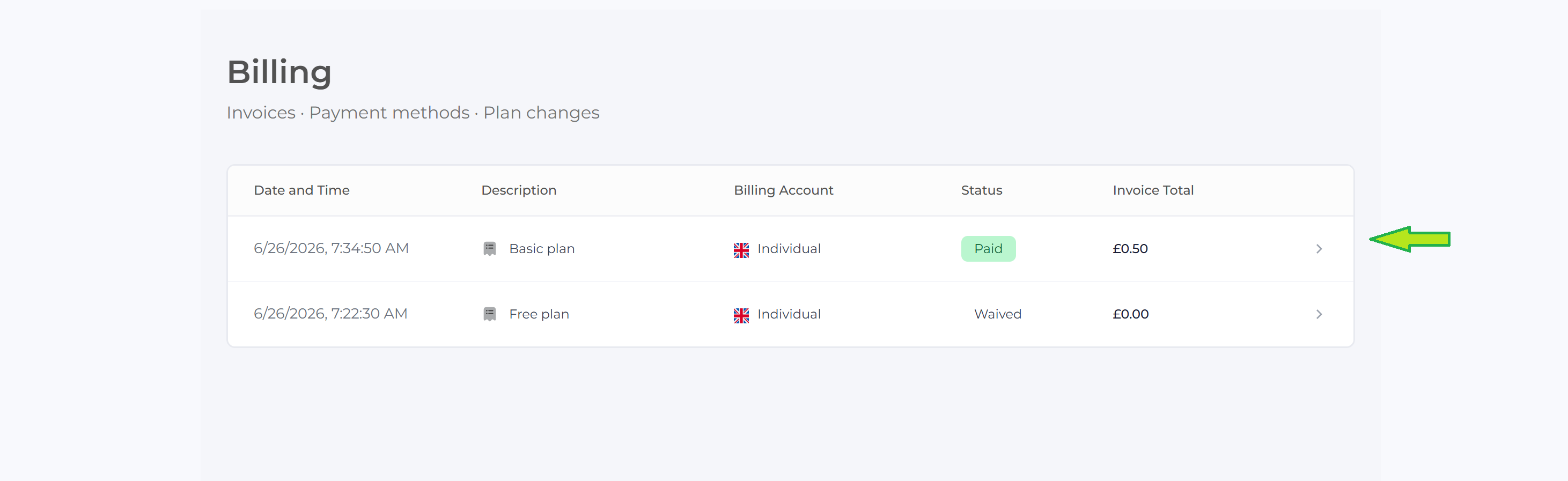
The Billing History page provides a record of all invoices that have been generated for your account. Each entry displays key information about a billing transaction, making it easy to review your payment history and verify charges.
| Field | Description |
|---|---|
| Date and Time | The date and time when the invoice was generated. |
| Description | The subscription plan or service the invoice relates to. |
| Billing Account | The account or profile that was billed. |
| Status | Indicates the current payment status of the invoice, such as Paid, Pending, Waived, or Failed. |
| Invoice Total | The total amount charged for the invoice. |
| View Details | Click the arrow (➜) at the end of the row to view the complete invoice details and download a copy of the invoice. |